
Color Aura: Paint by number
Oakever GamesCasual
4.6753.00 Reviews
- Version
- 2.14.5
- Installs
- 1.00M
- Age Rating
- Everyone
Screenshots
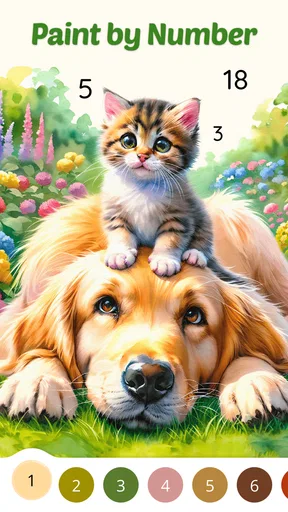
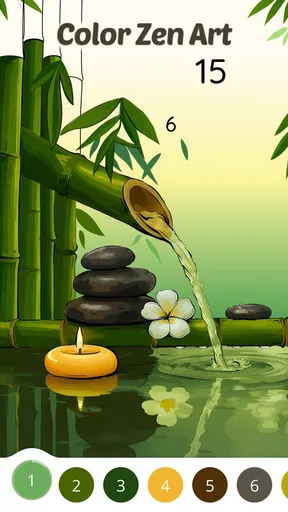
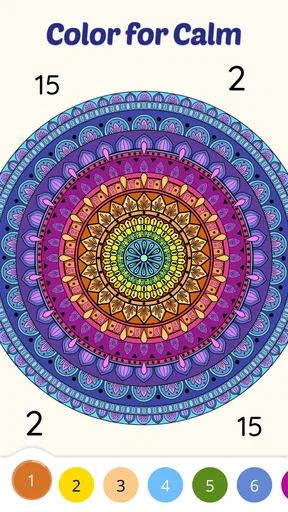
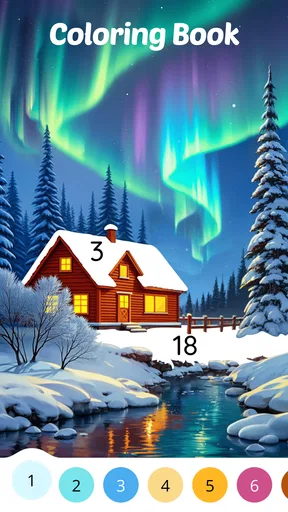
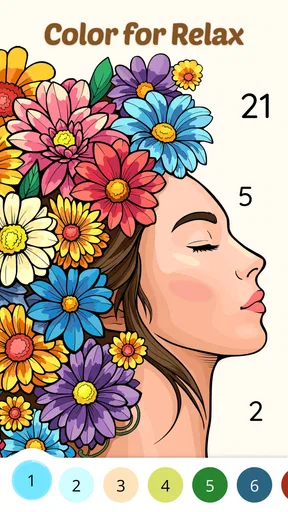
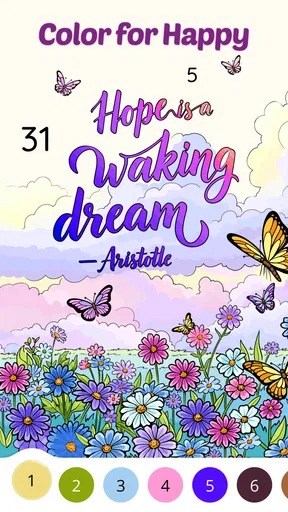
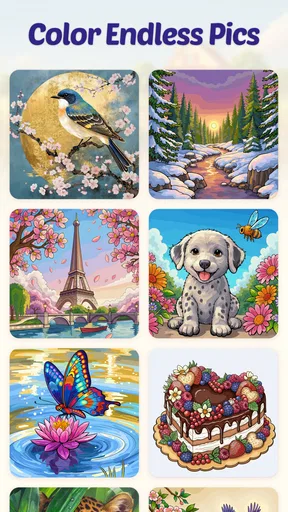
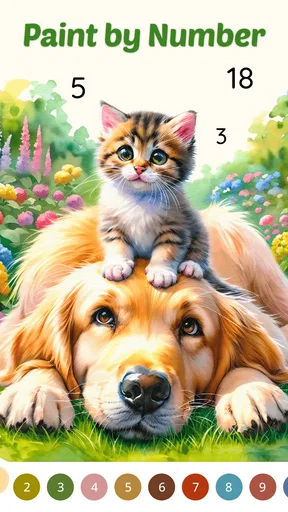
Our Review of Color Aura: Paint by number
 Analysis by Appyee
I like coloring apps most when they make it easy to settle in without asking me to learn a complicated toolset. Color Aura: Paint by Number is aimed at that kind of short, low-pressure creative break: choose an image, follow its numbered spaces, and watch the picture take shape. It is a casual game from Oakever Games, and its appeal is less about drawing skill than about the steady, simple rhythm of filling in a design.
How the gallery works for different moods
The collection is a major part of the experience. With more than ten thousand artworks to browse, there is plenty to look through, and I find that variety useful when I want different levels of visual activity: a patterned image for a focused session, or a landscape when I want something more familiar. The app has a 4.5 average from around 2,500 ratings, and it has passed one million installs, so it has clearly found an audience for this style of play.
That large gallery is also a trade-off. When I open a coloring app with so many choices, browsing can become its own activity and delay the relaxing part. I get more out of it when I choose a picture based on the time I have rather than scrolling until I find a perfect one. For a quick break, I pick something that looks manageable; for a longer session, I can take more time choosing a design I want to finish.
Readability, navigation, and the numbered layout
Each artwork is divided into numbered regions, with a color tied to each number. That structure makes the next action clear even if you do not feel confident choosing colors or planning a palette. I can concentrate on matching the number and filling the region instead of making artistic decisions at every step. The interface is described as easy to navigate, and the basic idea is familiar enough that a first-time player can understand what to do quickly.
There is a useful distinction between simple rules and effortless play: a picture can still contain many small spaces, and keeping track of them takes attention. I would start with an image whose shapes look comfortably sized, then move to denser artwork once the tapping rhythm feels natural. That small choice can make the app feel soothing rather than like a task list.
Motor comfort and sensory pace
The zoom feature helps when the remaining sections are tiny, because it lets me work closer to the part I am coloring. Undo is another practical safeguard: a stray tap does not have to spoil the session, so I can correct a mistake and carry on. Those details matter most when I am coloring with one hand, using a smaller screen, or trying to be precise while slightly distracted.
Paint-by-number play can be gentler than freehand drawing because it does not demand steady strokes or accurate sketching. At the same time, it still relies on repeated taps and visual attention. If tapping small areas is uncomfortable, or if a screen full of fine divisions feels tiring, this may not be the right format for a long session. I would treat it as a short activity and pause when the picture stops feeling relaxing.
Where it fits into an ordinary day
I can see myself opening it while waiting for an appointment or taking a quiet break between chores. A useful routine is to choose one image before a short pause, color for a few minutes, and stop without feeling obliged to finish the whole design. That keeps the app from turning a spare moment into a commitment. The daily challenge can add a prompt when I do not want to decide what to color, though anyone who prefers an entirely self-directed pace can simply browse the gallery instead.
The game is free to download, rated Everyone, and has in-app purchases priced at $12.99 per item. That makes it easy to try, but I would check what an optional purchase offers before spending, especially if I am only looking for occasional coloring. It is currently at version 2.8.0, with Android 7.0 as the minimum OS requirement. If you use an older device or are choosing it for someone else, checking compatibility before installing is a sensible first step.
How it compares with other coloring options
Compared with a physical coloring book, this is tidier and easier to carry around, and the numbered approach removes the need to choose or bring colors. The trade-off is that the experience stays on a screen and offers less freedom than drawing or coloring from a blank canvas. Compared with a freeform art app, it asks much less of your technique but gives you fewer creative decisions. I would choose it for a guided, low-effort activity, not as a replacement for sketching practice or a hands-on art hobby.
It is a good fit if you enjoy visible progress, like having a clear next step, or want a casual way to occupy a short wait. It is less suitable if you want to invent your own image, dislike repetitive tapping, or need a screen-free way to unwind. The app does not make those preferences right or wrong; they simply determine whether numbered coloring feels comforting or restrictive.
Getting Started with Color Aura
First things first, Color Aura: Paint by Number is available on both Android and iOS, so no worries about which device you’re rocking. The download and installation process is smooth sailing. Once you fire up the app, you’re greeted with a vibrant and user-friendly interface that just screams creativity. Even if you’re not a tech wizard, you’ll find it super easy to navigate.
Exploring the Art Gallery
Alright, let’s talk about the heart of this app – the art gallery. It’s packed with a diverse collection of artwork waiting to be colored. We’re talking everything from abstract patterns to stunning landscapes. What I love is that there’s something for everyone, whether you’re a beginner or a seasoned colorist. You can easily spend hours just browsing and picking your next masterpiece.
Each piece is broken down into sections, and the app assigns a number to every color, hence the whole "paint by number" concept. It’s like those coloring books you loved as a kid, but way cooler and high-tech.
Coloring Experience
Once you’ve picked a design, it’s time to unleash your inner artist. The actual coloring process is as seamless as they come. Just tap on a number, and the app fills in the section with the corresponding color. It’s super satisfying to watch your artwork come to life one tap at a time.
What’s pretty neat is the zoom feature, which lets you get up close and personal with your design. It’s perfect for those tiny sections that require a little extra precision. And don’t worry about making mistakes – there’s an undo button for those “oops” moments.
Features That Stand Out
One of the coolest features is the daily challenges. Every day, there’s a new puzzle to complete, which keeps things fresh and exciting. It’s a great way to keep your creative juices flowing and maybe even compete with friends to see who can complete the challenge faster.
Plus, the app occasionally offers special themed collections, especially around holidays or special events. These limited-time collections are a fun way to celebrate and add some festive flair to your gallery.
Staying Connected
If you’re someone who loves sharing your creations, you’re in luck! Color Aura makes it super easy to show off your finished pieces on social media. Just a few taps, and your masterpiece is ready to be admired by friends and followers. It’s a great way to get a little recognition for your hard work!
Final Thoughts
So, is Color Aura: Paint by Number worth the download? If you ask me, absolutely! It’s a relaxing and rewarding way to unwind and express your creativity. Whether you’re looking to kill some time or just need a quick artistic fix, this app has got you covered. It’s like having a pocket-sized art studio wherever you go.
So go ahead, give it a try, and let your colorful side shine through. Happy coloring!
Verdict
Strengths of Color Aura: Paint by number
- User-friendly interface for easy navigation.
- Vast collection of diverse coloring pages.
- Offline mode available for uninterrupted painting.
- Regular updates with new designs.
- Relaxing music enhances the coloring experience.
Limitations of Color Aura: Paint by number
- Ads can be intrusive during use.
- Limited free designs; many require purchase.
- Occasional app crashes reported by users.
- High battery usage during extended sessions.
- In-app purchases can be costly for premium features.
Other Releases by Oakever Games
View All


Similar Picks in This Category
View All
My Talking Angela
Outfit7 Limited4.2

My Talking Tom
Outfit7 Limited4.3

Pou
Zakeh4.2

My Talking Tom 2: Pet Game
Outfit7 Limited4.3

Candy Crush Saga
King4.6

Bridge Race
Supersonic Studios LTD4.1
Frequently Asked Questions
What is Color Aura: Paint by Number and how does it work?
Color Aura: Paint by Number is a digital coloring app that allows users to create beautiful artwork by following a number-coded guide. Each number corresponds to a specific color, ensuring an easy and relaxing painting experience. Simply select a picture, follow the numbers, and watch your artwork come to life.
Is Color Aura: Paint by Number suitable for all ages?
Yes, Color Aura: Paint by Number is designed to be user-friendly and accessible for all ages. It offers a wide variety of designs suitable for kids, teens, and adults, providing a fun and relaxing pastime for everyone. Parents can also enjoy it with their children, fostering creativity and bonding.
Are there any in-app purchases or subscriptions required?
While Color Aura: Paint by Number is free to download and provides a selection of free designs, it does offer in-app purchases for additional artwork packs and features. Users can choose to purchase these individually or subscribe for a premium experience, which includes access to exclusive content and an ad-free interface.
Do I need an internet connection to use Color Aura: Paint by Number?
An internet connection is required for downloading new artworks and updates. However, once the artwork is downloaded, you can enjoy coloring offline. This feature is particularly useful for users who want to relax and paint without any connectivity interruptions.
How does Color Aura: Paint by Number support creativity and relaxation?
Color Aura: Paint by Number promotes creativity by offering a vast array of designs that cater to different artistic tastes. The app’s guided painting process helps reduce stress and anxiety by allowing users to focus on the soothing activity of coloring, making it an excellent tool for relaxation and mindfulness.
Play our best games!


